Nearly 50% of initial Robotic Process Automation (RPA) projects fail to meet their expected ROI within the first 12 months. This statistic is not a reflection of the technology’s limitations, but rather a symptom of poor vendor selection and a lack of process readiness. Organizations often treat RPA software as a magic wand for broken workflows, only to find that automating a chaotic process simply results in faster chaos. At SEIO, we work with enterprises to move past the marketing hype and focus on the technical architecture that actually drives margin expansion.
The Architecture of Modern RPA Software
RPA software operates at the presentation layer of your existing applications, mimicking human actions like clicking, typing, and extracting data. Unlike traditional API-based integration, RPA does not require a complete overhaul of your legacy systems. It sits on top of your current stack, interacting with the User Interface (UI) in the same way an employee would.
Attended vs. Unattended Bots
Attended bots live on a user’s workstation and trigger based on specific human actions. Think of them as digital assistants that handle data entry while a customer service representative stays on the phone with a client. Unattended bots, conversely, run on back-end servers. They execute high-volume, batch-processing tasks without human intervention, such as processing thousands of invoices overnight. Choosing between these two depends entirely on whether your workflow requires real-time human decision-making.
The Role of Computer Vision
Earlier versions of RPA software relied on fixed screen coordinates. If a button moved three pixels to the left, the bot broke. Modern platforms use AI-driven computer vision to recognize on-screen elements like ‘Submit’ buttons or ‘Invoice Number’ fields, regardless of their position or the underlying code. This makes automation significantly more resilient to software updates and UI changes.
Critical Selection Criteria for Enterprise RPA
Selecting the right RPA software requires looking past the drag-and-drop interface. You need to evaluate how the platform handles security, scalability, and technical debt. SEIO recommends a rigorous proof-of-concept (PoC) that tests the software against your most unstable legacy application, not your easiest one.
Low-Code Development Environments
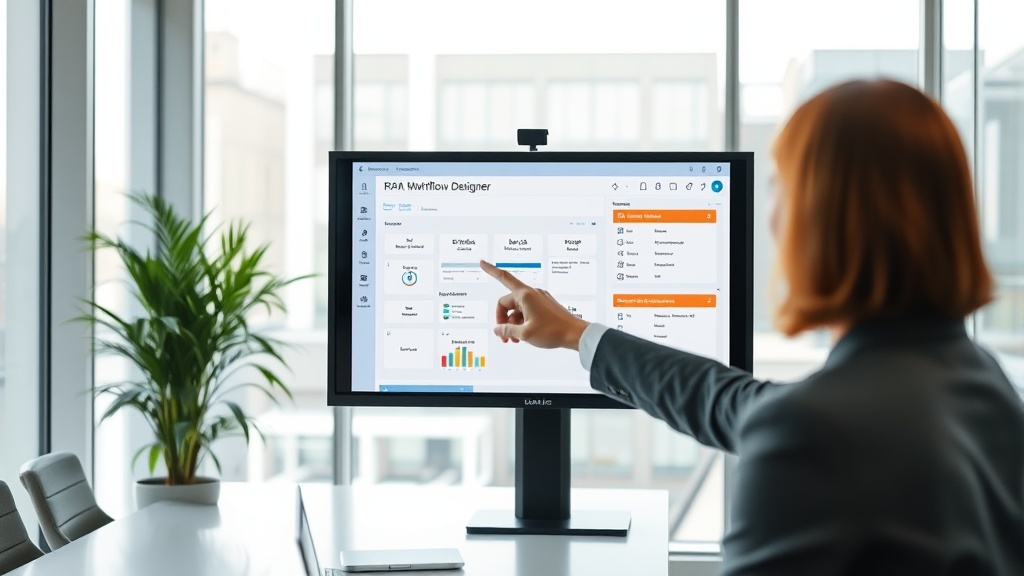
The goal of many RPA initiatives is to empower ‘citizen developers’—business analysts who understand the process better than IT does. A high-quality RPA platform provides a visual design canvas where workflows are mapped out like flowcharts. However, the software must also allow professional developers to drop into code (Python, .NET) when complex logic or custom integrations are required.
Governance and Security
Every bot is a digital identity. If an RPA bot has access to your ERP and payroll systems, it represents a significant security risk. Enterprise-grade RPA software must offer centralized credential management (using vaults like CyberArk or Azure Key Vault), detailed audit logs for every action taken by a bot, and role-based access control (RBAC) to ensure that only authorized personnel can modify automation logic.
SEIO’s Framework for Process Discovery
Before installing any RPA software, you must identify which processes are actually candidates for automation. SEIO uses a data-driven approach to sift through corporate workflows, focusing on tasks that are rule-based, high-volume, and prone to human error. If a process requires ‘gut feeling’ or subjective judgment, it is not ready for RPA.
Identifying High-Volume Tasks
Look for tasks that consume at least 20 hours of manual labor per week. Common examples include data migration between CRM and ERP systems, periodic report generation, and employee onboarding documentation. High-volume tasks provide the quickest path to recovering your initial software licensing costs.
Assessing Technical Feasibility
A process might be manual and high-volume, but if the underlying data is unstructured (like handwritten notes), RPA software will struggle. The ideal candidate uses structured digital data, such as Excel files, standardized PDFs, or SQL databases. SEIO helps clients digitize these inputs using Optical Character Recognition (OCR) before the RPA bot ever touches the data.
Comparing the Market Leaders
The RPA market is dominated by a few major players, each with distinct strengths. The following table provides a breakdown of how the top platforms compare in terms of deployment and target use cases.
| Vendor | Primary Strength | Deployment Model | Best For |
|---|---|---|---|
| UiPath | Advanced AI integration & Computer Vision | Cloud, On-Premise, Hybrid | Complex, end-to-end enterprise automation |
| Automation Anywhere | Cloud-native architecture | Pure Cloud / Web-based | Fast scaling and distributed workforces |
| Microsoft Power Automate | Deep integration with O365/Azure | Cloud-first | Small to medium tasks within the MS ecosystem |
| Blue Prism | High-security & governance standards | On-Premise / Cloud | Regulated industries like Banking and Healthcare |
Calculating the Total Cost of Ownership (TCO)
The price of RPA software is only one component of the total cost. You must also account for infrastructure, developer salaries, and ongoing maintenance. A common mistake is ignoring ‘bot fragility’—the cost of fixing bots when the underlying applications they interact with change.
Licensing vs. Infrastructure
Licensing models vary. Some vendors charge per bot, while others charge based on the number of processes or ‘runs.’ Additionally, unattended bots require server resources. If you are running 50 bots, the cost of the virtual machines and SQL databases needed to support them can equal or exceed the software license fee itself.
Maintenance and Technical Debt
Automation is not a ‘set it and forget it’ solution. On average, an enterprise bot requires about 10-15% of a developer’s time for maintenance annually. SEIO advises clients to build a Center of Excellence (CoE) to manage this technical debt, ensuring that as your business processes evolve, your RPA software remains functional and accurate.
The Shift Toward Hyperautomation
RPA is increasingly becoming a component of a larger strategy known as hyperautomation. This involves combining RPA software with Generative AI, Machine Learning (ML), and Process Mining tools. SEIO stays at the forefront of this shift, helping organizations move from simple task automation to complex autonomous workflows.
Integrating Generative AI
By connecting RPA software to Large Language Models (LLMs), bots can now handle unstructured data that previously required human intervention. For example, a bot can read a customer email, use AI to determine the sentiment and intent, and then use RPA to execute the appropriate refund or support ticket update in the backend system.
Process Mining and Discovery
Instead of interviewing employees to find out what they do, process mining software analyzes system logs to map out how work actually happens. This reveals bottlenecks and deviations from the standard process, allowing you to deploy RPA software where it will have the highest measurable impact on throughput.
FAQ
What is the difference between RPA and AI?
RPA software is process-driven and follows pre-defined rules to execute tasks, whereas AI is data-driven and seeks to mimic human intelligence to make predictions or decisions. RPA handles the ‘doing,’ while AI handles the ‘thinking.’ Many modern platforms combine both to handle complex workflows.
How long does it take to implement RPA software?
A simple pilot project can be deployed in 4 to 6 weeks. However, a full-scale enterprise rollout, including infrastructure setup and governance framework establishment, typically takes 3 to 6 months. The timeline depends heavily on the complexity of the processes being automated.
Does RPA software replace human workers?
RPA typically replaces tasks, not entire jobs. By automating repetitive data entry and administrative chores, employees are freed to focus on higher-value activities such as strategic analysis, creative problem solving, and direct customer interaction. It is a tool for augmentation rather than total replacement.
Is RPA software secure for handling sensitive data?
Yes, provided it is implemented with proper governance. Leading RPA platforms offer encryption for data at rest and in transit, multi-factor authentication, and integration with enterprise identity management systems. Because bots follow strict rules, they often reduce security risks associated with human error or unauthorized data access.
Can RPA work with legacy systems that have no API?
This is the primary advantage of RPA software. Because it interacts with the user interface, it can automate tasks in older ‘green screen’ applications or legacy software that lacks modern integration capabilities. It acts as a bridge between old and new technology stacks.
Selecting the Right Path for Automation
Choosing RPA software is a decision that will impact your operational efficiency for years to come. Success requires more than just a functional tool; it requires a strategic partner who understands the intersection of technology and business process. SEIO provides the technical expertise and strategic oversight necessary to ensure your automation journey delivers tangible financial results. Whether you are just beginning to explore automation or are looking to optimize an existing bot fleet, focus on scalability and governance from day one to avoid the common pitfalls of the industry. Contact SEIO today to audit your current workflows and build a roadmap for sustainable, high-ROI automation.